Installing
Check the requirements first.
Upload the files
Section titled “Upload the files”-
Download the latest release. Older versions and release notes are on the releases page.
-
Extract it into the forum’s root folder (the one with
global.php), merging into the existing folders:- events.php
- event.php
- manage_event.php
- rsvp.php
- troop_report.php
- ical.php
- ical_feed.php
- calendar_feed.php
Directoryadmin/modules/events/
- …
Directoryinc/
Directoryplugins/
- events.php
Directoryevents/
- …
- tasks/events_reminders.php
Directoryjscripts/events/
- …
If your Admin CP folder isn’t called
admin, putadmin/modules/events/in your renamed folder instead.
Activate
Section titled “Activate”-
Go to Admin CP > Configuration > Plugins.
-
Find Event Management and click Install & Activate.

Activating creates the database tables, settings, templates, stylesheet and the reminder task.
Configure
Section titled “Configure”-
Create the custom profile fields if you haven’t already.
-
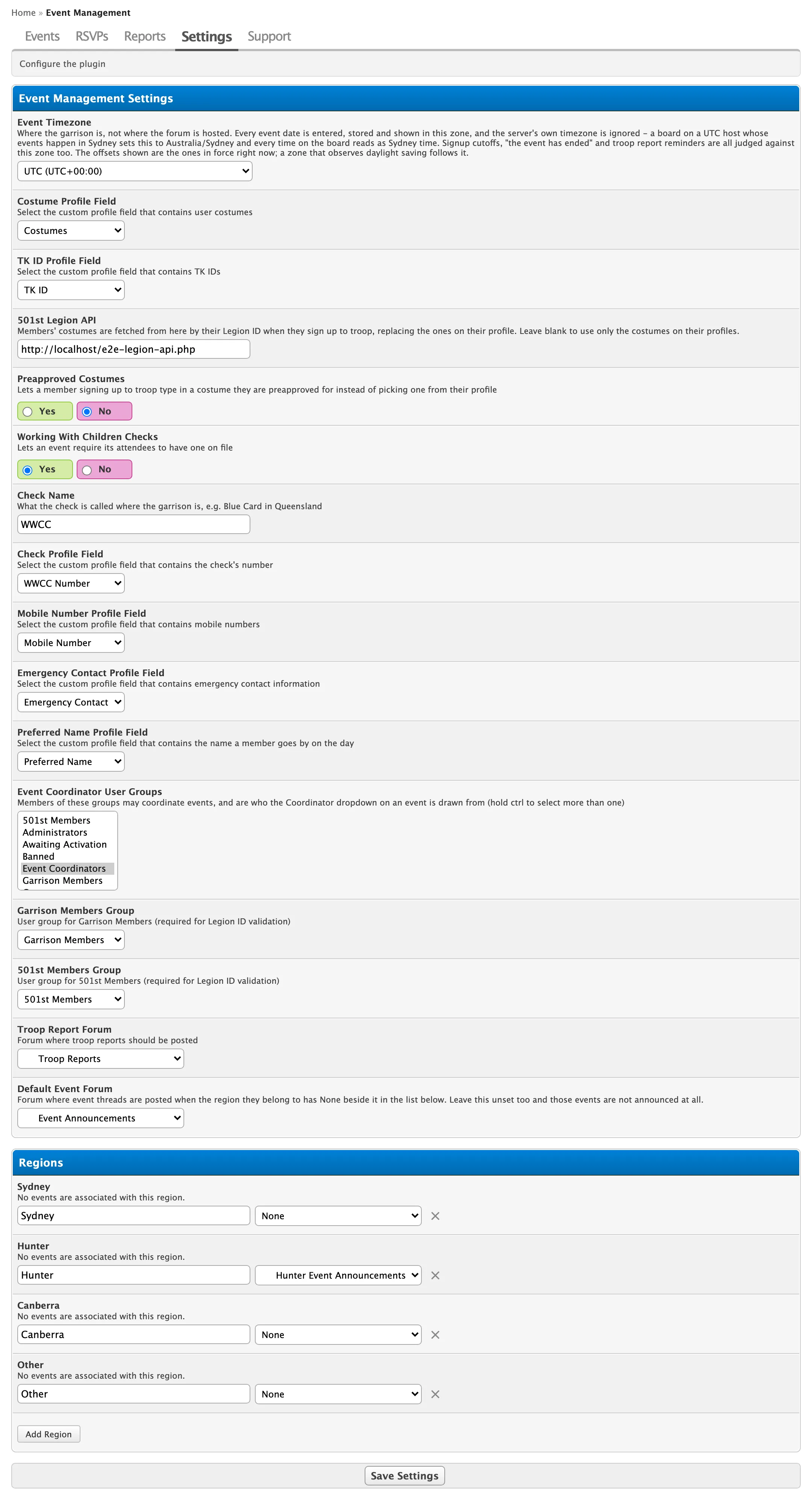
Go to Admin CP > Event Management > Settings.
-
Set at least:
- Event Timezone, for example
Australia/Sydney - each Profile Field
- Event Coordinator User Groups
- Troop Report Forum
- the Regions, and the forum each region’s events are announced in
See Settings for everything on the page.
- Event Timezone, for example
-
Click Save Settings.
Check it works
Section titled “Check it works”-
Log in as a member and check Events is in the header.
-
As a coordinator, click Create Event, fill it in and set its status to Live.
-
Check the event’s announcement thread was posted in its region’s forum.
-
Sign up to it as a member.