
The attendance sheet
Open the event and click View Attendance Sheet at the bottom. The event’s point of contact can open it too.
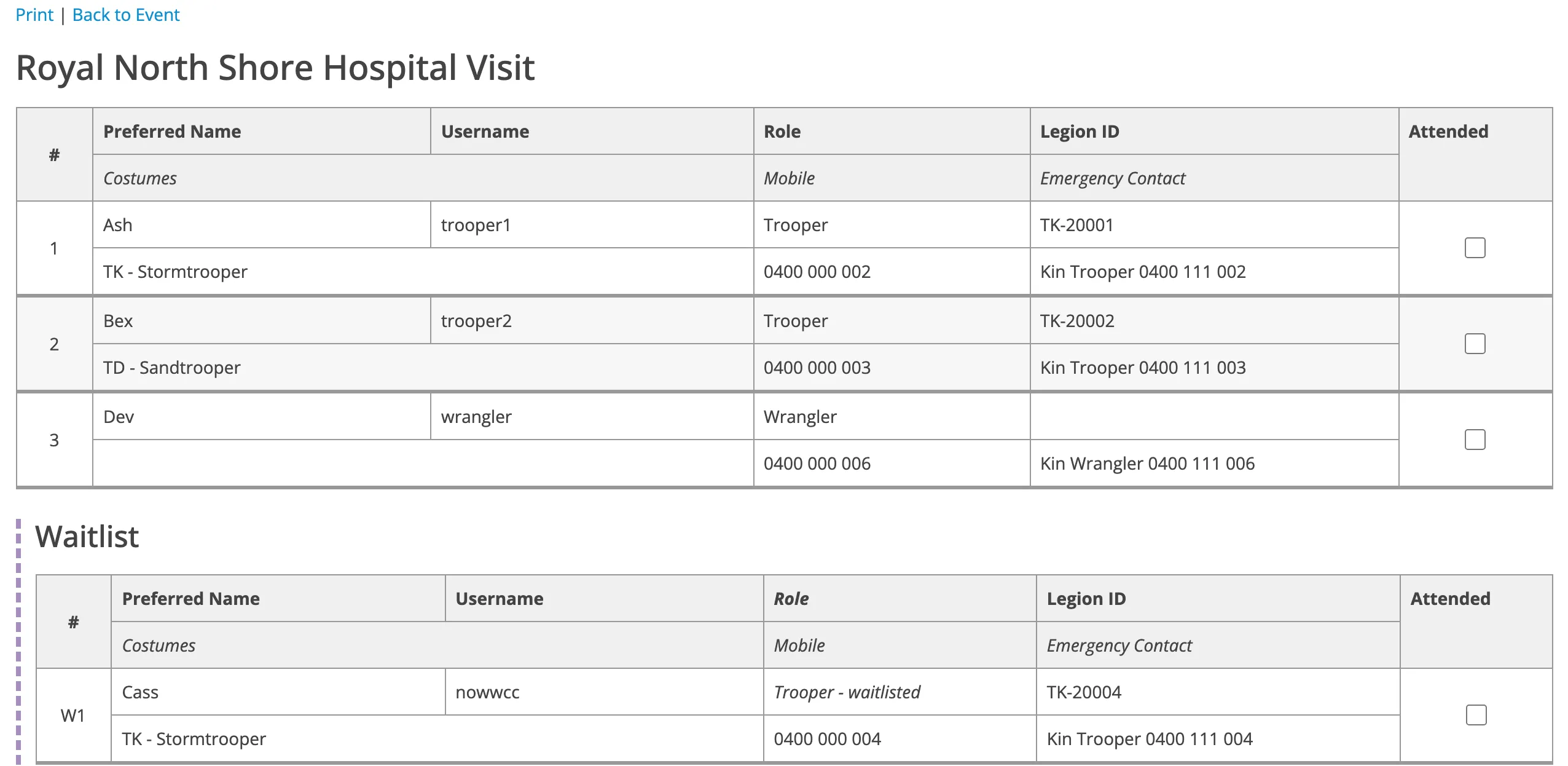
It has one row per person, with their preferred name, username, role, Legion ID, WWCC number, costumes, mobile number and emergency contact. Multi-day events have a Days column. Waitlisted people are in a separate table, numbered W1, W2 and so on.
Print it
Section titled “Print it”Press Ctrl+P (or Cmd+P on a Mac). It prints as a clean sheet, with the event details at the top and the column headings repeated on every page.
Tick the Attended boxes on screen before printing, or leave them blank to tick by hand on the day.
Show one day
Section titled “Show one day”On a multi-day event, choose from Day to show only the people coming that day.