
Managing signups
Who’s signed up
Section titled “Who’s signed up”Who is Attending on the event lists everyone, with the waitlist underneath. Click Filter to show one costume or one day.
For contact details, use the attendance sheet.
Remove someone
Section titled “Remove someone”-
On the event, click × beside their name in Who is Attending.
-
A message to them is drafted. Add your reason.
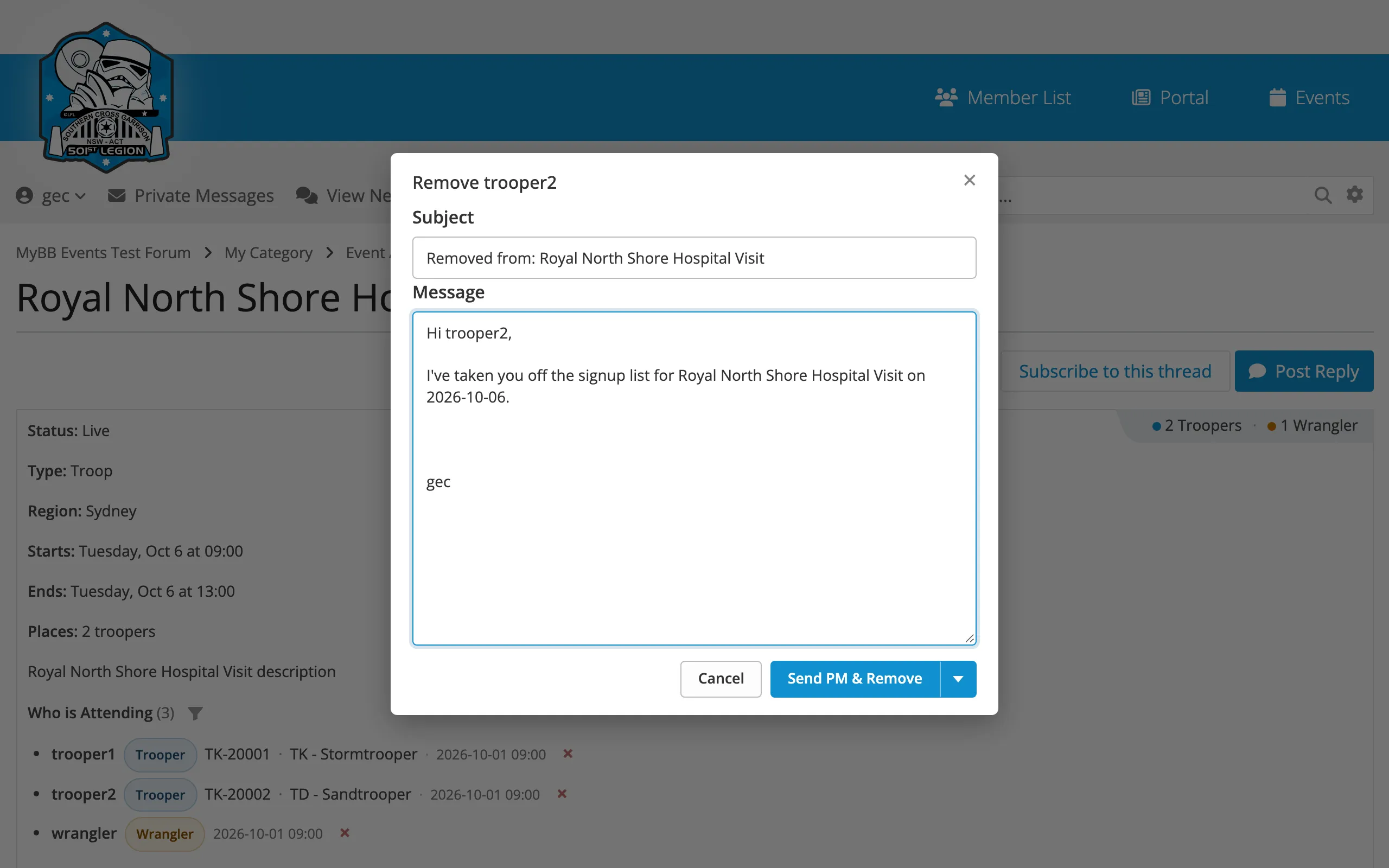
-
Click Send PM & Remove. Or use the arrow beside it to Copy Text & Remove (to send another way) or Remove Without Notifying.
This removes their whole signup, all days and roles. If there’s a waitlist, the next person gets the place.
Limits and the waitlist
Section titled “Limits and the waitlist”Set Maximum Troopers, Maximum Wranglers or Maximum Attendees on the event form. Once a limit is reached, new signups join a waitlist.
- Places go in signup order. When someone drops out, the next person gets their place and is sent a private message.
- On multi-day events, each day has its own limit and waitlist.
- Waitlisted people are listed on the attendance sheet as W1, W2 and so on, so you can call down the list on the day.