
Writing a troop report
One troop report is needed per troop, and anyone who trooped can post it. It’s what counts the troop towards everyone’s My Troops.
Post the report
Section titled “Post the report”-
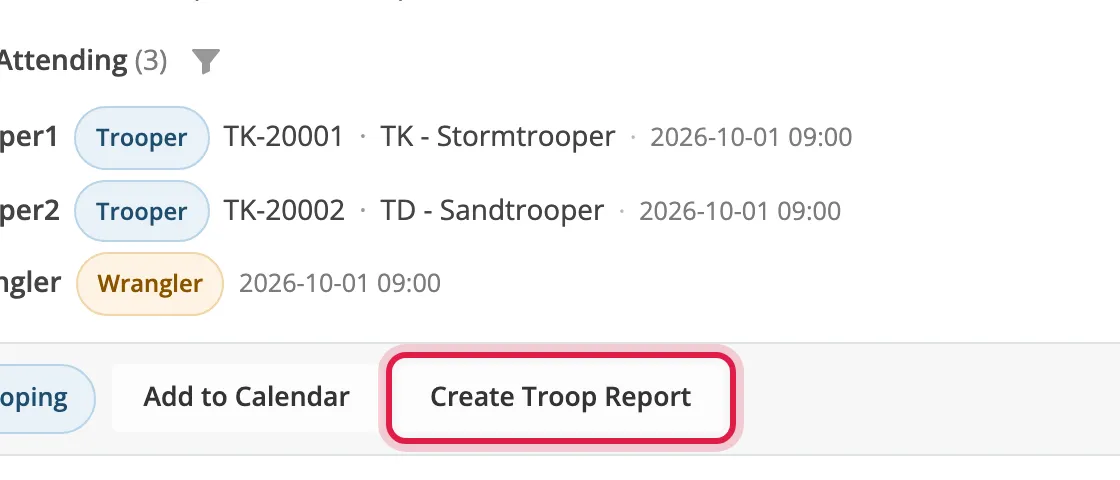
After the event, open it and click Create Troop Report.
-
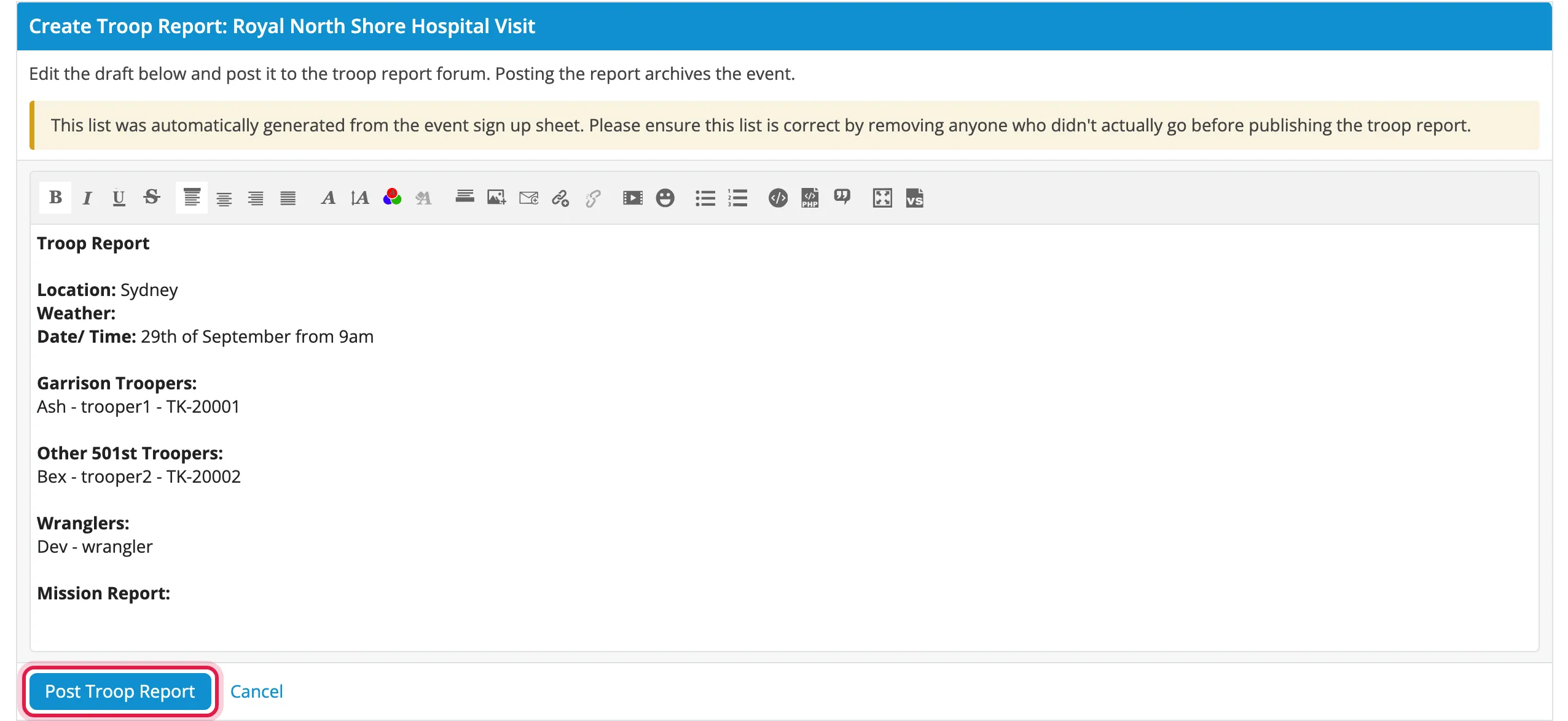
Check the list of people against who came. Remove anyone who didn’t, and add anyone who came off the waitlist.
-
Fill in the weather, Mission Report, Mission Status and photographer.
-
Click Post Troop Report.
The report is posted to the troop reports forum, linked from the event’s thread, and the event is archived.
Keep the roll call format
Section titled “Keep the roll call format”Leave each person’s line as it is:
Ash - trooper1 - TK-20001The username and Legion ID are how the troop is counted. If they’re changed or removed, that person isn’t credited.
Reminders
Section titled “Reminders”Until the report is posted, everyone who trooped gets a weekly Troop Report Needed message.
Wranglers and waitlisted members can’t post reports and don’t get reminders.