
Waitlists
Join a waitlist
Section titled “Join a waitlist”When an event is full, click Join Waitlist and sign up as usual. The last button reads Join the Waitlist.
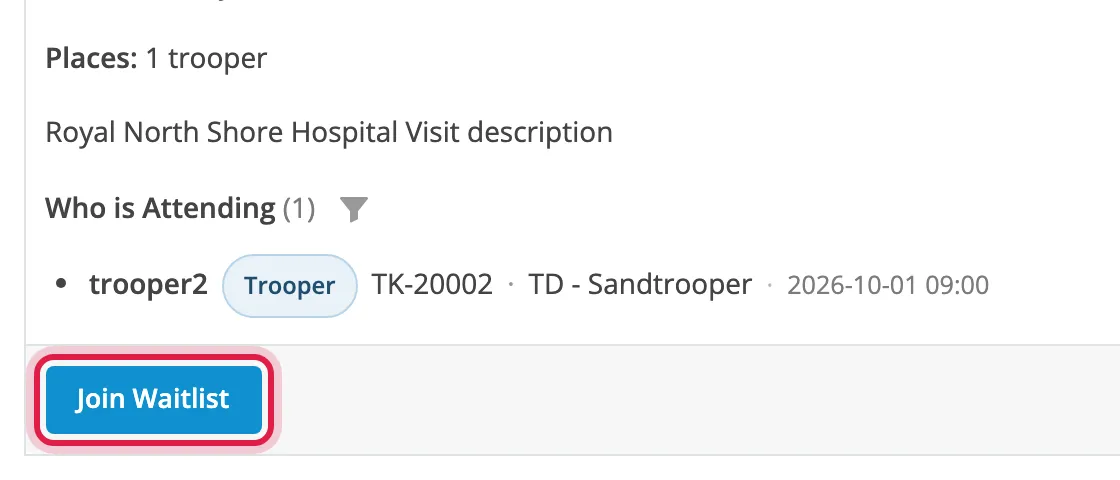
If only one role is full, you can take a place in the other straight away.
Your place in the queue
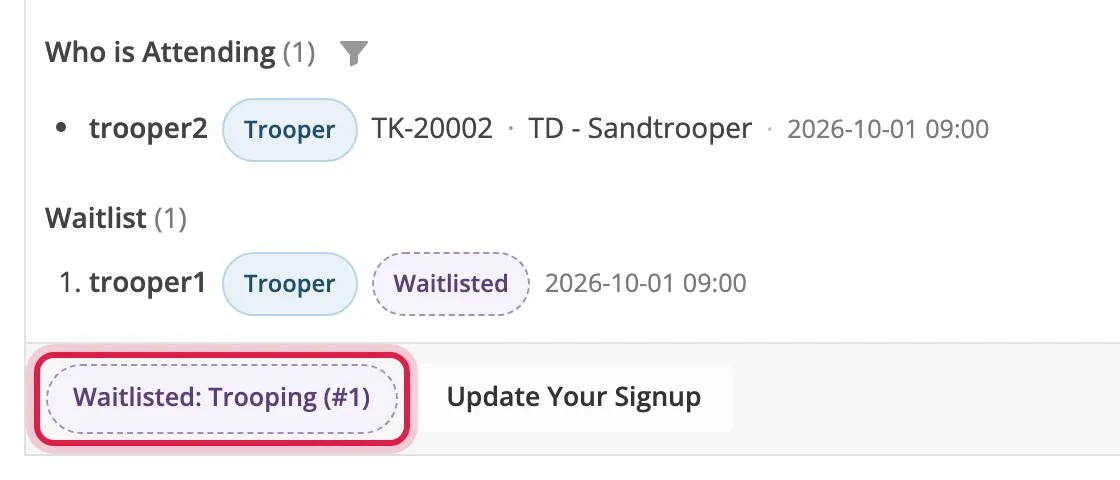
Section titled “Your place in the queue”The event shows Waitlisted and your position, such as #2. The queue is also listed
under Who is Attending.
Getting a place
Section titled “Getting a place”Places go in signup order. When someone pulls out or the limit is raised, the next person gets the place and is sent a private message.
If the limit is lowered, the latest signups move back to the front of the waitlist and are messaged too.
Multi-day events
Section titled “Multi-day events”Each day has its own queue, so you can have a place one day and be waiting for another.
Leave the waitlist
Section titled “Leave the waitlist”Click Update Your Signup, choose Not attending, and click Withdraw Signup.
Waitlisted days aren’t added to your calendar until you get a place.